
In memory
The photo of someone who has passed, restored with care.
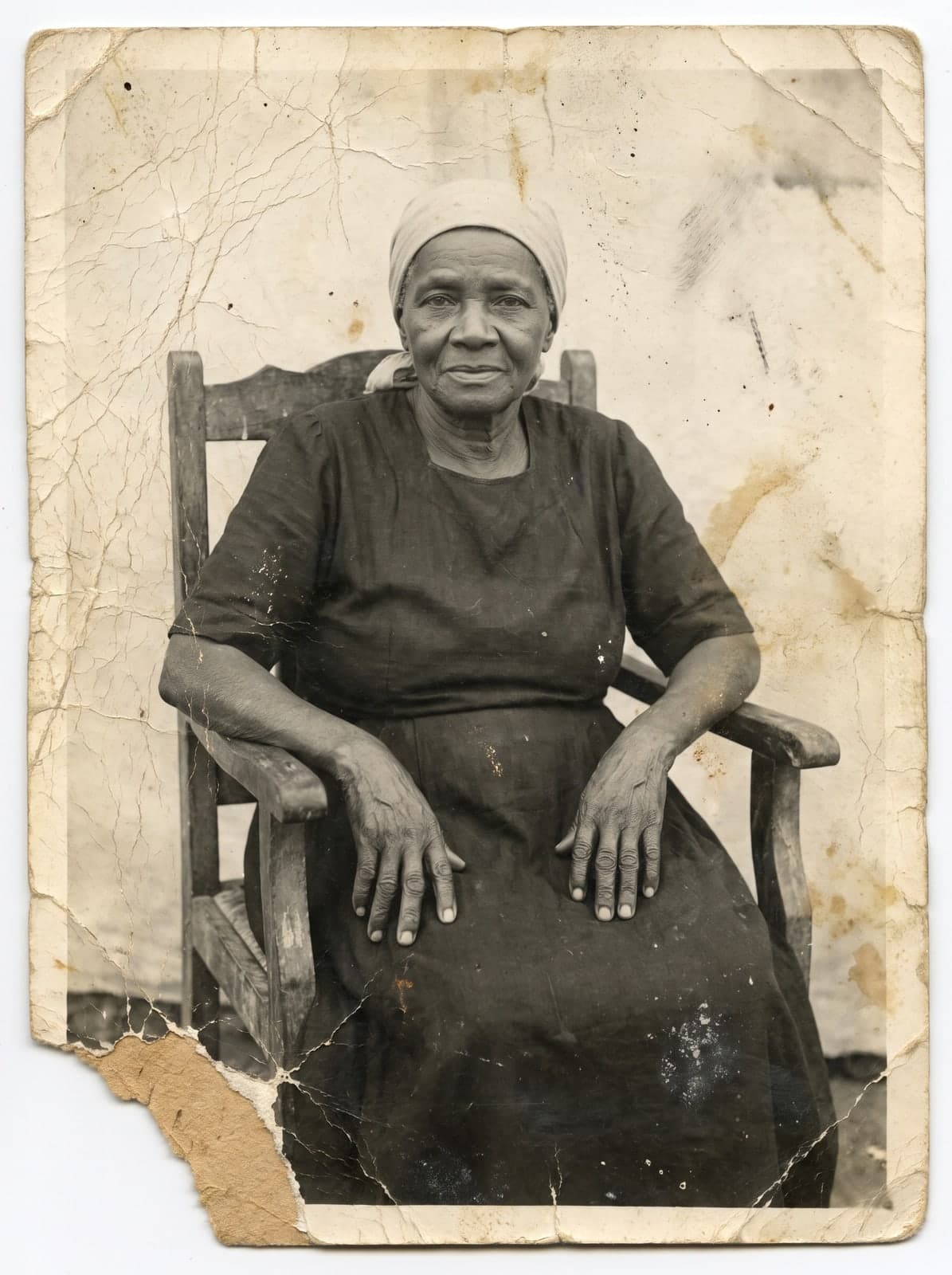 Before
 After
AfterRestore a photo your family keeps, check the preview at your own pace, and print or share it to remember together.
- Free trial, no card
 High quality from US$2.99
- Card, no subscription
Quick answer
How do you restore the photo of a loved one who has passed?
Upload the photo, check the watermarked preview, and compare it with the original. If it looks the way you remember, unlock the file without the watermark at 2K or 4K. Then print it wherever you like or share it with the family. RestauraAI delivers the digital file; printing and framing are done by a print shop of your choice.
What to do with the file
Ways to use the restored photo
In a picture frame
A printed copy to keep at home, near those who miss them.
At a family gathering
Show it on a phone or screen, or send it to the group chat so everyone has the photo.
At a memorial service
A printed copy to go with a service or a gathering in their memory.
How the process works
Restore, check, and give
Upload the photo
Photograph the paper print with your phone, in natural light and without glare, or upload the digital file.
How to scan a photo with your phoneCheck the preview
The restored photo shows up in seconds. Compare it with the original before you decide.
Download and give
Print it wherever you prefer or send the file by text.
RestauraAI delivers the digital file. Printing, framing, and physical delivery are up to the print shop or service you choose, with its own price and turnaround.
Price
High quality from US$2.99
The trial is free and needs no card. Each high-quality photo costs 1 coin at 2K or 2 coins at 4K. Card, no subscription.
See all pricingQuestions
Questions about the restoration
Does the restoration change the person's face?
The restoration is guided to keep their features; where the photo lost parts, what appears is interpretation. The first preview is free, with a watermark: compare the face with the original and only unlock the file if it looks the way you remember.
Do I need a scanned photo?
No. Photograph the paper print with your phone, in natural light and without glare, and upload it. If you have a scanner, a scanned file works too.
Can I share the photo with other family members?
Yes. After you download the file without the watermark, send it by text or email to whoever you like.
How much does it cost?
The first preview is free, with a watermark. The file without the watermark starts at US$2.99. One photo costs 1 coin at 2K or 2 coins at 4K.
More ways
Other ways to keep the memory
Family album
Family memories
Restore several photos across generations and bring the family collection together.
Printing guide
Wall art
How to prepare the 4K file to print and frame.
Start with the photo your family wants to keep.
Start with the free trial and compare it with the original before you decide.
Restore the photoHigh quality from US$2.99
If the restoration fails, the coin goes back to your balance. Refunds follow the Terms of Use: within 30 days of purchase, case by case. See the Terms