
Try it free with your photo, no card needed
Improve the quality and sharpness of any blurry photo with AI, and compare before you download.
To improve a photo's quality, upload the file to RestauraAI and see the result free, in seconds. The AI raises the resolution, recovers sharpness and reduces noise and blur; faces and textures can look more defined, but the detail is recreated, so compare with the original. Improving changes resolution, sharpness and noise; restoring repairs physical damage. At RestauraAI the photo goes through the full restoration: if it is black and white or sepia, it comes back in natural colors that fit the period.
- Free trial, no card
- High quality from US$2.99
- Card payment, no subscription
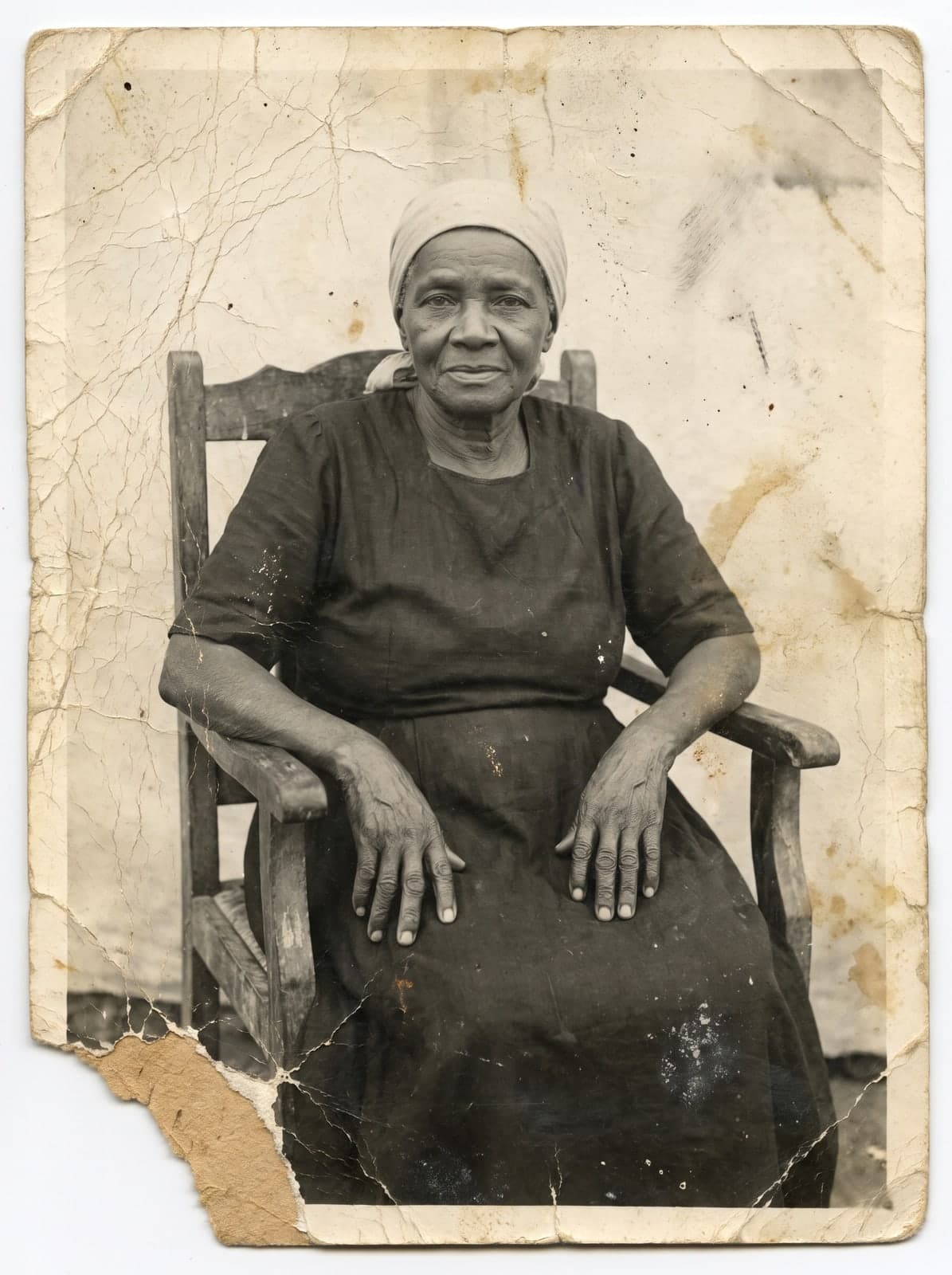
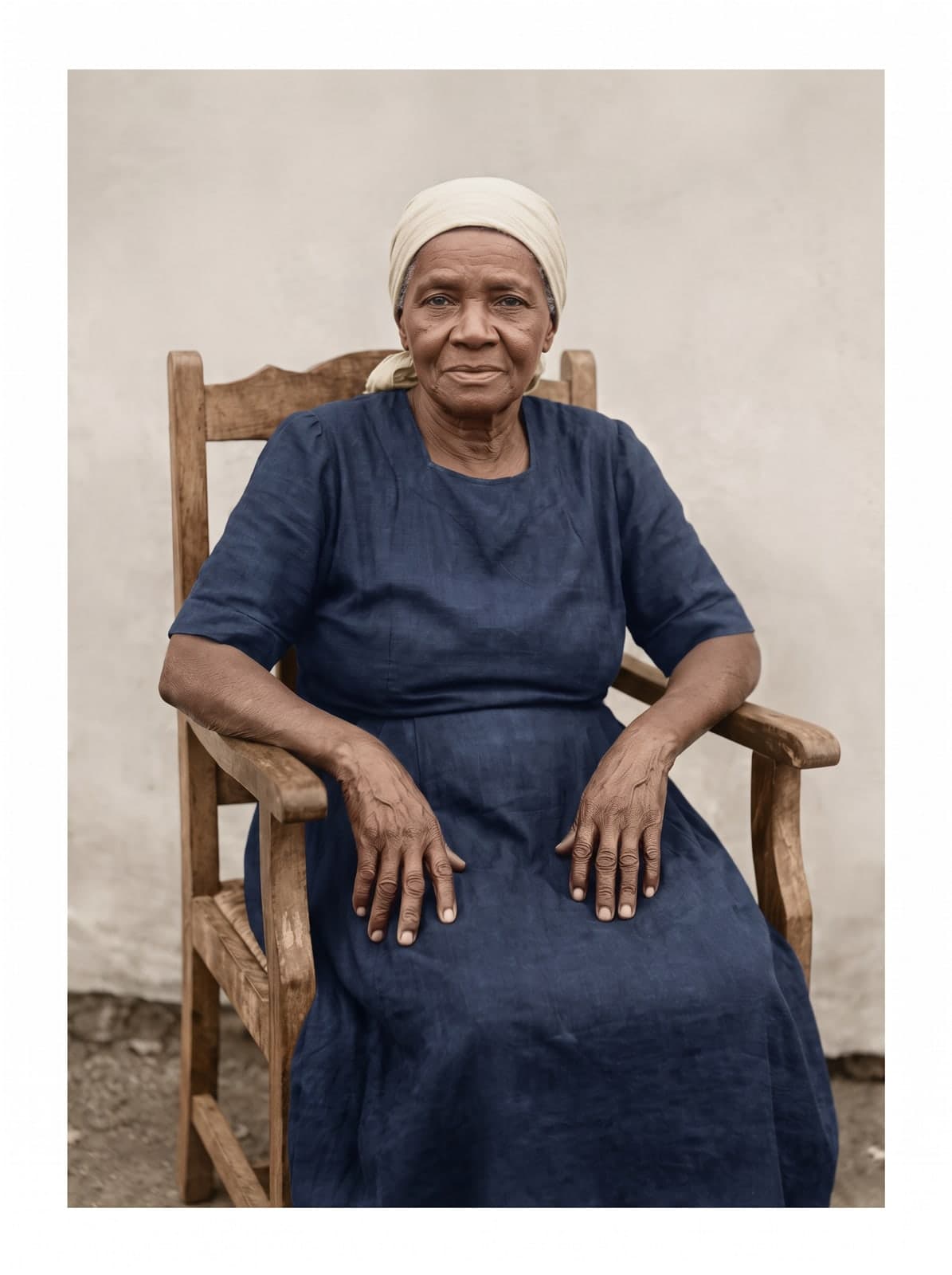
What the AI improves
Resolution, sharpness and noise
Improving quality is different from restoring physical damage: the target is what makes a photo small, blurry or grainy.
More resolution
Creates the photo in 2K or 4K, with detail recreated by the AI.
More sharpness
Reduces blur and haze. Faces and textures can become more visible.
Less noise
Reduces digital grain and compression artifacts.
Recreated detail
The AI draws edges, textures and patterns. It is an interpretation: compare with the original.
Raising the resolution
Stretching pixels or recreating detail
Raising the resolution is not just making the photo bigger. The result depends on the method and on what the original file still holds.
Enlarging by stretching pixels
A regular editor increases the size and spreads the pixels that already exist. The photo gets bigger, but also blurry and blocky.
Enlarging with AI
The AI analyzes the image and creates new detail where the original had none, such as the eyes and the lines of the face. The result is an interpretation, not an enlarged copy.
The original sets the limit
The more information the photo holds, the more faithful the result. In a very small image, much of the detail is recreated by the AI.
When to use it
Where the small or blurry photo comes from
It suits files that lost the definition needed to view up close or print.
Old phone photos
Photos from cameras and phones with few megapixels can gain resolution and sharpness.
Screenshots and app images
Screenshots and photos received by message often arrive compressed; the AI can bring definition back.
Scanned photos
Low-resolution scans can gain definition; check the preview.
Photos to print
For frames, albums and enlargements, choose 4K and check the preview at print size.
How it works
How to improve quality in 3 steps
No software and no editing skills: you upload the photo and check the result before downloading.
Upload the photo
Accepts JPG, PNG, WEBP or HEIC, up to 25 MB. A small photo works too; the larger the original, the better the result.
It can be a phone photo, a scan or an image received by message.
Compare the preview
The AI raises resolution, reduces noise and blur and recreates detail, in seconds.
Check faces and details against the original; the time varies.
Download without the mark
Like it? Any purchase unlocks that photo in high quality, ready to print.
Quality (2K or 4K) is chosen before restoring; to enlarge, choose 4K.
Price
What it costs
The trial is free, no card. Like it? Any purchase unlocks that photo in high quality, and the pack's coins restore the next ones.
Entry pack
US$2.99
1 coin
Photo in 2K
1 coin
Photo in 4K
2 coins
Any purchase unlocks 4K (2 coins per photo).
If a generation fails, the coin returns to your balance. Refunds follow the Terms: within 30 days of purchase, case by case. Read the Terms
- Your images aren't used to train AI
- Gallery behind a login; you delete from the dashboard
- Privacy Policy
Keep exploring
Keep going
Questions
Questions about improving quality
The most common questions from people with a blurry or small photo.
What is the difference between improving quality and restoring?
Improving quality changes resolution, sharpness and digital noise. Restoring repairs physical damage, like tears, stains and fading. At RestauraAI the two happen together: every photo goes through the full restoration.
Can a blurry or shaky photo be made sharp?
It can be improved: the AI redraws the outlines from the context, and the face usually looks more defined. What was out of focus is recreated, not recovered, and the preview shows that before you download.
Does it work with any photo, of any size?
It works with small photos and with larger photos that need enlarging. In 2K, the image comes out at about 2048 pixels on the long side, prints up to 15×20 cm and uses 1 coin; in 4K, about 4096 pixels, up to 30×40 cm, using 2 coins. The more information the original has, the more faithful the result.
Does a small photo come out pixelated when the resolution is raised?
Stretching the photo in a regular editor spreads the pixels and leaves everything blocky. The AI recreates detail from the context, so the result usually comes out without the pixelated look. The smaller the original, the more the AI has to recreate: check the preview at the size you will use the photo.
Does the image come out distorted after improving?
The AI starts from the photo you upload and recreates detail from context, unlike digital zoom, which only stretches pixels. What it recreates is interpretation: check the preview against the original before downloading.
Does it work with WhatsApp screenshots and photos?
Yes. Screenshots, social media images and photos received by message often arrive compressed; the AI reduces compression artifacts and raises the resolution. Check the preview.
Is the improved photo good for printing?
It depends on the print size. You download in 2K or 4K; for large enlargements, choose 4K and check the preview at the size you will print. The result depends on the original photo.
In a very blurry photo, will the face look like the person?
The restoration is guided to keep each person's features. The blurrier the photo, the more the AI has to recreate: in a very blurry face, the result is an interpretation and may not look the same. Compare the preview with the original before downloading.
When improving, does a black-and-white photo stay black and white?
No. Every photo goes through the full restoration: the AI treats the damage and returns the photo in natural colors that fit the period, which are its interpretation.
Can I improve and restore the same photo?
Yes, and you do not need to choose: every photo goes through the full restoration, which treats damage, improves sharpness and, in a black-and-white or sepia photo, returns natural colors that fit the period.
How much does it cost to restore a photo?
The first preview is free, with a watermark. To download without the mark, the entry pack costs US$2.99 and includes 1 coin. A 2K photo uses 1 coin; 4K uses 2 coins. In the 100-coin pack, each 2K photo comes to US$0.55. One-time payment, by card.
How long does it take?
The time varies with the image and processing. You follow the progress on screen.
Where are my photos kept?
Results stay in your account gallery, behind a login, and you can delete them from the panel. The Privacy Policy describes how data is used and kept.
What if the restoration fails or I do not like it?
If the generation fails, the coin returns to your balance. You see the preview before buying. Refunds follow the Terms: within 30 days of purchase, assessed case by case; coins already used are not refundable.
Which photo came out blurry?
Upload now and see it restored in seconds. You only pay if you like it.
Improve my photoFree trial, no card. You only pay if you like it, from US$2.99.