
Try it free with your photo, no card needed
Restore badly damaged old photos: torn, stained or faded.
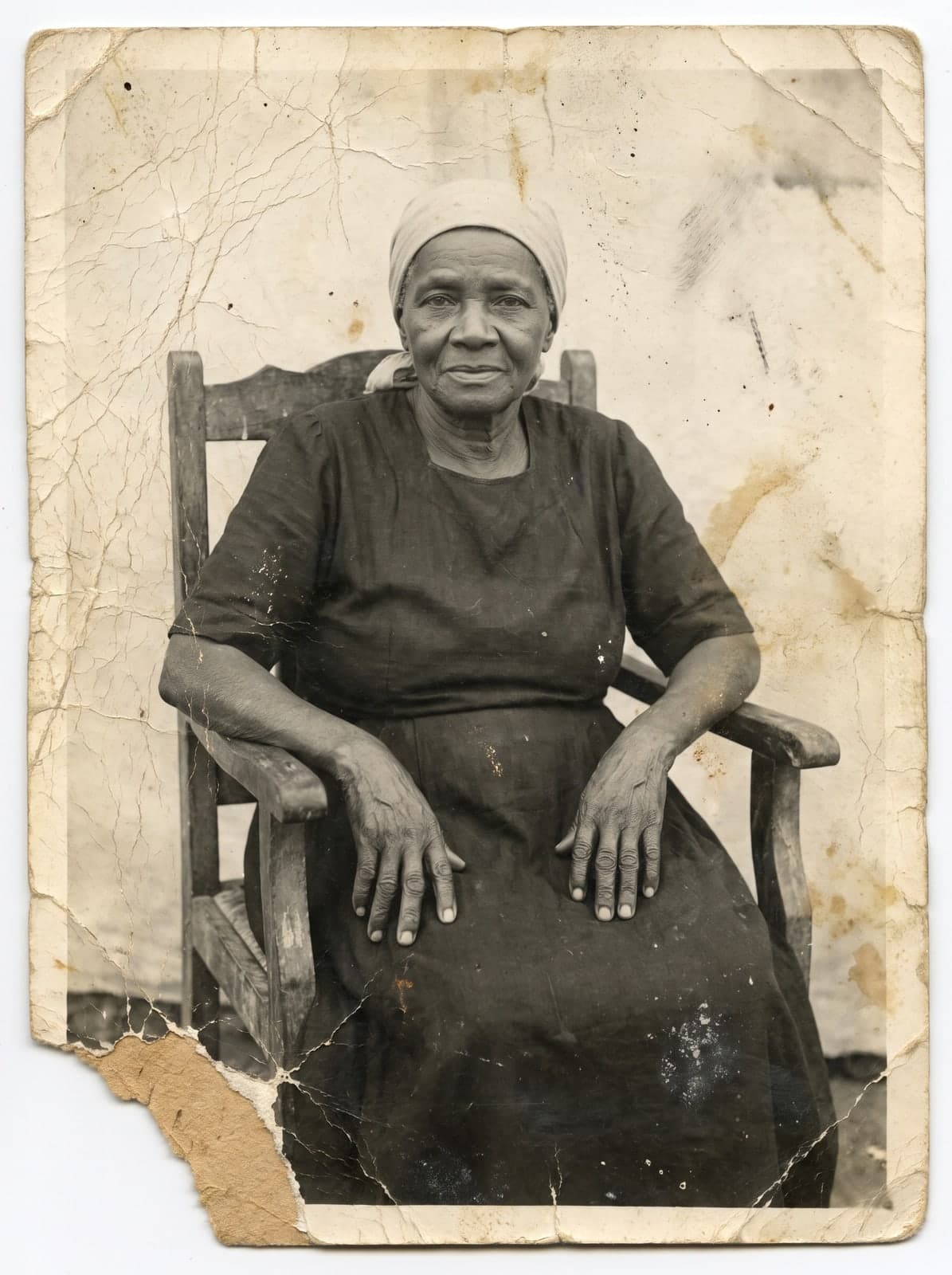
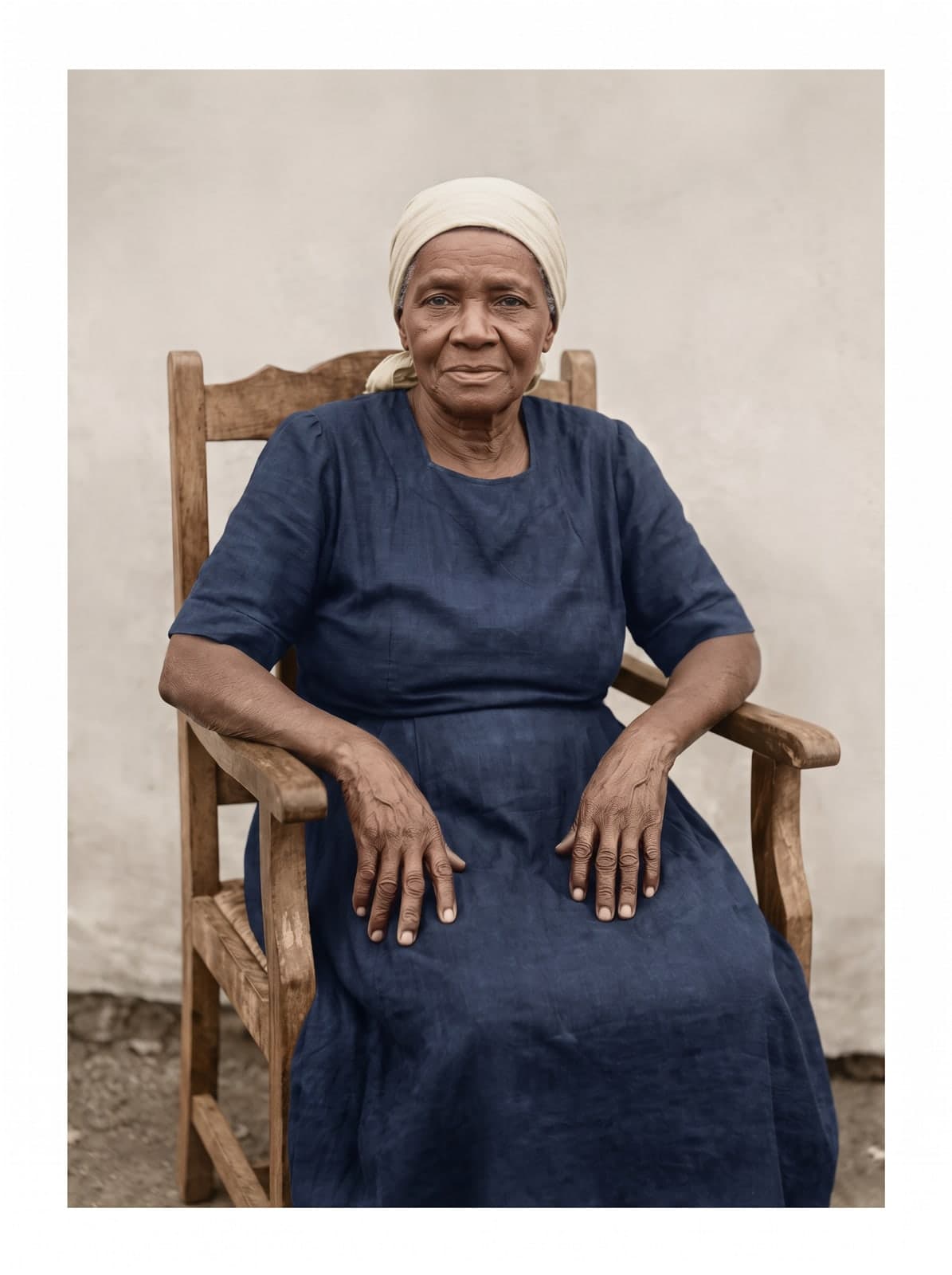
Yes, you can restore a badly damaged old photo: photograph or scan it, upload it to RestauraAI and see the result free in seconds. The AI treats tears, stains, mold and fading based on what's left; where the image was lost, the result is an interpretation, so compare it with the original before paying.
- Free trial, no card
- High quality from US$2.99
- Card payment, no subscription
What the AI treats
Each kind of damage needs different care
The AI works on the digital copy. The more of the original photo is left, the less the result depends on interpretation.
Tears and folds
The pieces are joined and the gap is filled in from what's around it. What disappeared entirely is interpretation: compare it with the original.
Stains and mold
The AI treats water stains, fingerprints and mold in the image. Photos heavily affected by damage hold less information for the AI to work with.
Fading and yellowing
The AI recovers contrast, sharpness and tone. In a faded color photo, the colors are recovered from what's left in the photo.
Faces
Restoration aims to keep each person's features. Lost areas, like a scratched-out eye, become interpretation: check the face in the preview.
Black and white
A black-and-white photo comes back in natural colors consistent with its era. Since the photo didn't keep any color, the colors are the AI's interpretation.
Three options
Image editor, studio or online AI
Each option suits a different case. Choose by the time you have and the piece you want to restore.
Image editor
Photoshop or GIMP give full control but take practice. The time it takes depends on you and on how damaged the photo is.
Restoration studio
It's manual work, done by a person. Ask for a quote, turnaround and delivery format before hiring; it suits rare pieces.
Online AI
It starts from the scanned photo and shows the result free, in seconds, before any payment. It can change details, so compare it with the original.
How it works
How to restore a badly damaged photo in 3 steps
No software and no editing skills: you upload the photo and choose whether to download.
Scan the photo
Use a scanner or your phone, in good light, with the photo straight and whole in the frame. JPG, PNG, WEBP or HEIC, up to 25 MB.
Keep the original: restoration creates a digital copy.
Upload it and describe the damage
Upload the photo and, if you like, write a request, such as removing a scratch from a face or lightening a stain.
Time varies with the image; you can follow the progress on screen.
See the preview and decide
The restored photo appears in seconds. Compare it with the original and decide.
Check the face and details on screen before deciding.
Price
What it costs
The trial is free, no card. Like it? Any purchase unlocks that photo in high quality, and the pack's coins restore the next ones.
Entry pack
US$2.99
1 coin
Photo in 2K
1 coin
Photo in 4K
2 coins
Any purchase unlocks 4K (2 coins per photo).
If a generation fails, the coin returns to your balance. Refunds follow the Terms: within 30 days of purchase, case by case. Read the Terms
- Your images aren't used to train AI
- Gallery behind a login; you delete from the dashboard
- Privacy Policy
Keep exploring
Guides and pages for your case
Questions
Questions about restoring badly damaged photos
The most common questions from people with a badly damaged photo.
How can I restore badly damaged old photos?
Photograph or scan the photo in good light and upload it to RestauraAI. The AI treats tears, mold, folds and fading based on what's left in the photo itself; where the image was lost, it fills in by interpretation. See the free preview, with a watermark, before deciding.
How much does it cost to restore an old photo?
The first preview is free, with a watermark. To download without the mark, the entry pack costs US$2.99 and includes 1 coin. A 2K photo uses 1 coin; 4K uses 2 coins. In the 100-coin pack, each 2K photo comes to US$0.55. One-time payment, by card.
Do I need to know Photoshop?
No. You upload the photo and, if you like, write what you want; the AI does the restoration. There's no manual editing and no software to install.
Does the photo need to be in good condition?
No. The AI treats torn, stained, faded, yellowed and moldy photos. The more of the original image is left, the more the result relies on it and the less on interpretation.
Will people's faces look like themselves?
The restoration is guided to keep each person's features. If the face was scratched or erased, the lost area is the AI's interpretation: compare the preview with the original before downloading.
How long does it take?
The time varies with the image and processing. You follow the progress on screen.
Can a black-and-white photo be recovered?
Yes. Besides treating the damage, the AI returns the photo in natural colors that fit the period. They are the AI's interpretation.
Where are my photos kept?
Results stay in your account gallery, behind a login, and you can delete them from the panel. The Privacy Policy describes how data is used and kept.
What if the restoration fails or I do not like it?
If the generation fails, the coin returns to your balance. You see the preview before buying. Refunds follow the Terms: within 30 days of purchase, assessed case by case; coins already used are not refundable.
Which photo seemed lost?
Upload it now and see it restored in seconds. You only pay if you like it.
Restore my photoFree trial, no card. You only pay if you like it, from US$2.99.