Skip to content

First preview's on us

Bring back the color in your old photo

Faded, yellowed, or washed-out photos get their color back. The AI uses what's left of the color; where it has faded, the result is an interpretation.

Site example: photo with colors restored by RestauraAI
FadedRestoredUse the left and right arrows to move. Shift goes faster, Home/End jump to the ends.
Family portrait · 1960s
  • Restores color in faded and yellowed photos
  • Neutralizes yellowing and color shifts
  • Up to 4K to print, keep, or frame
No credit card
Preview before you buy
Gallery with sign-in
Types of damage

See what we restore

types of restoration

Faded, yellowed, or lost its color?See what the AI does.

Examples of each kind of deterioration, before and after.

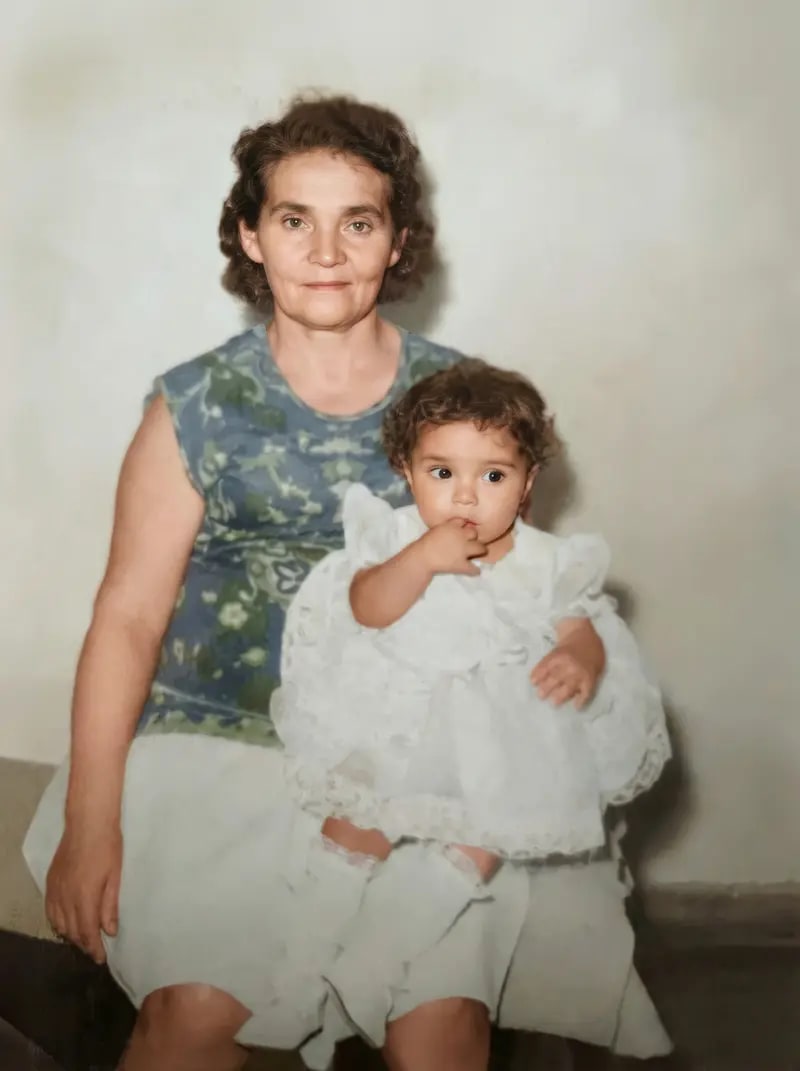
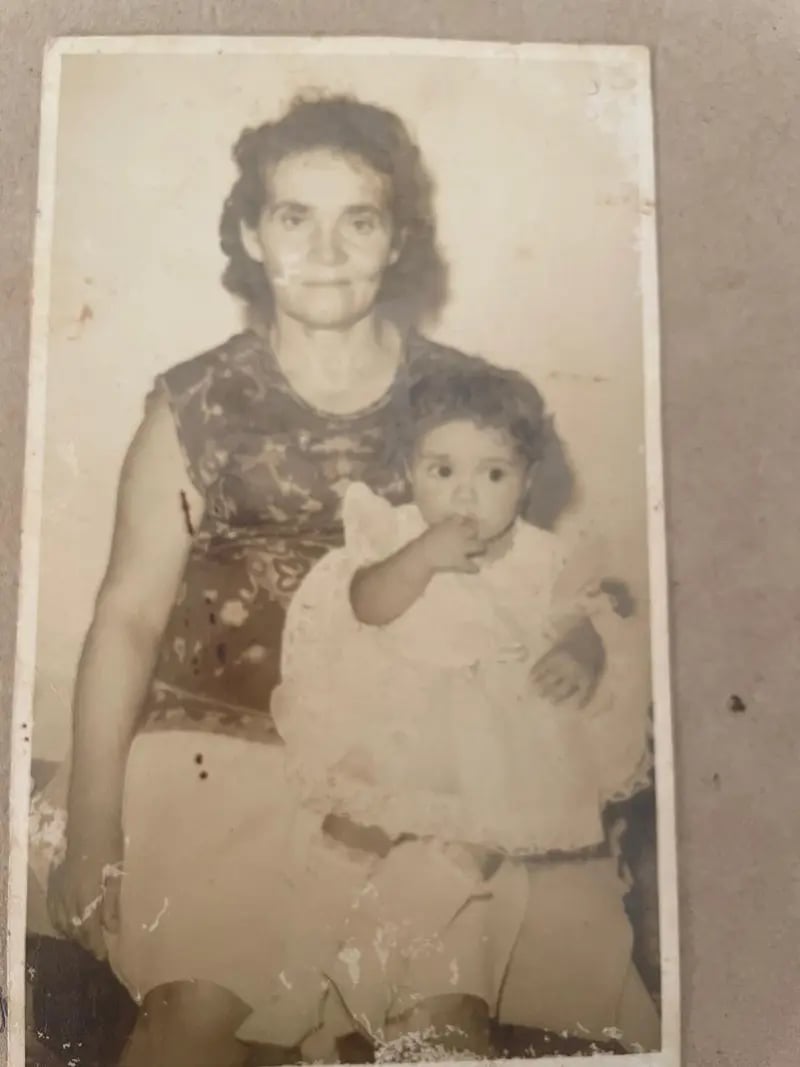
Portrait with colors recovered from what is left in the photo
BeforeAfterUse the left and right arrows to move. Shift goes faster, Home/End jump to the ends.
Fading · 1960s

Colors that faded over time

Color photos can lose color over time. The AI recovers colors from what is left, as an interpretation.

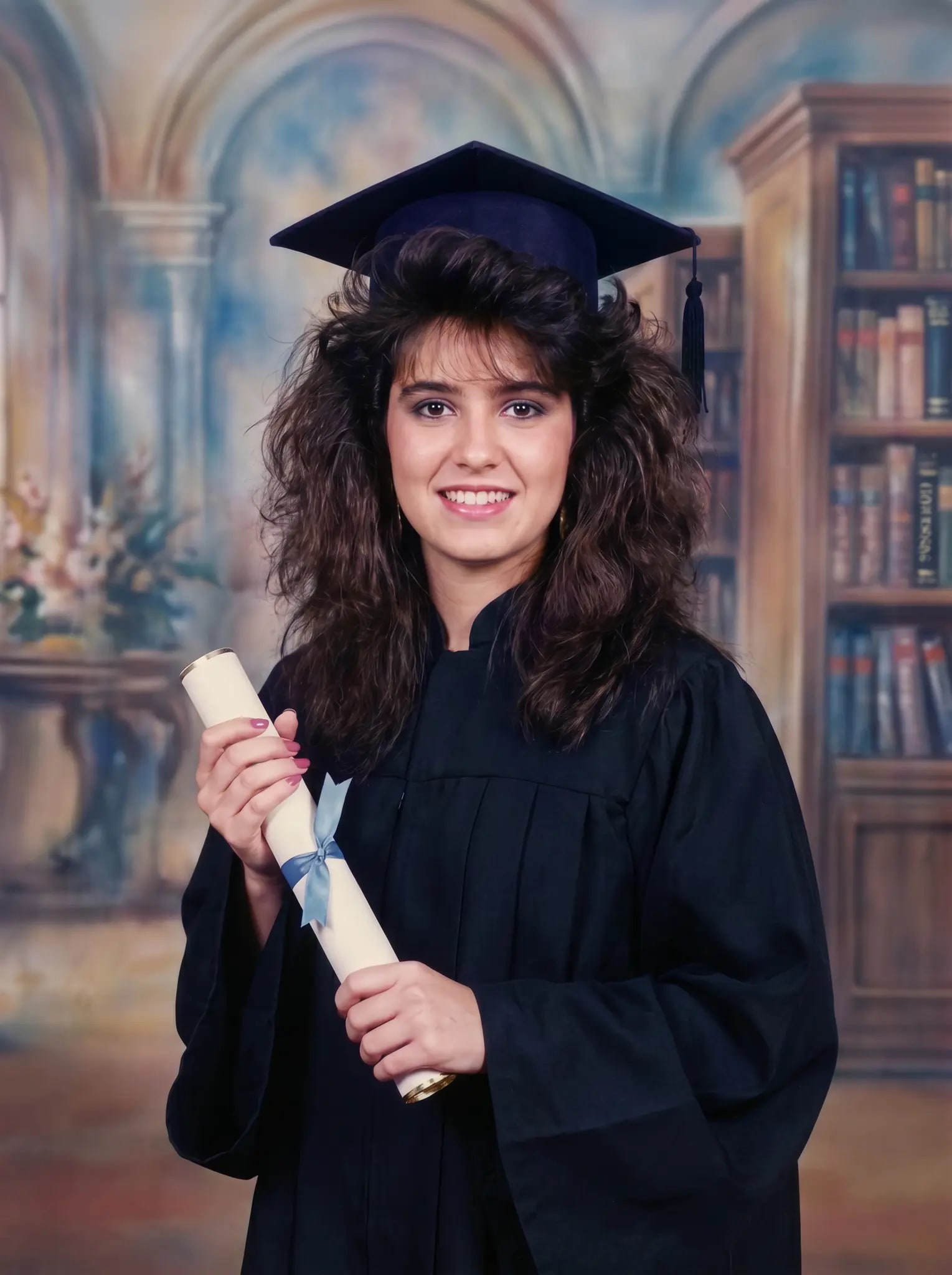
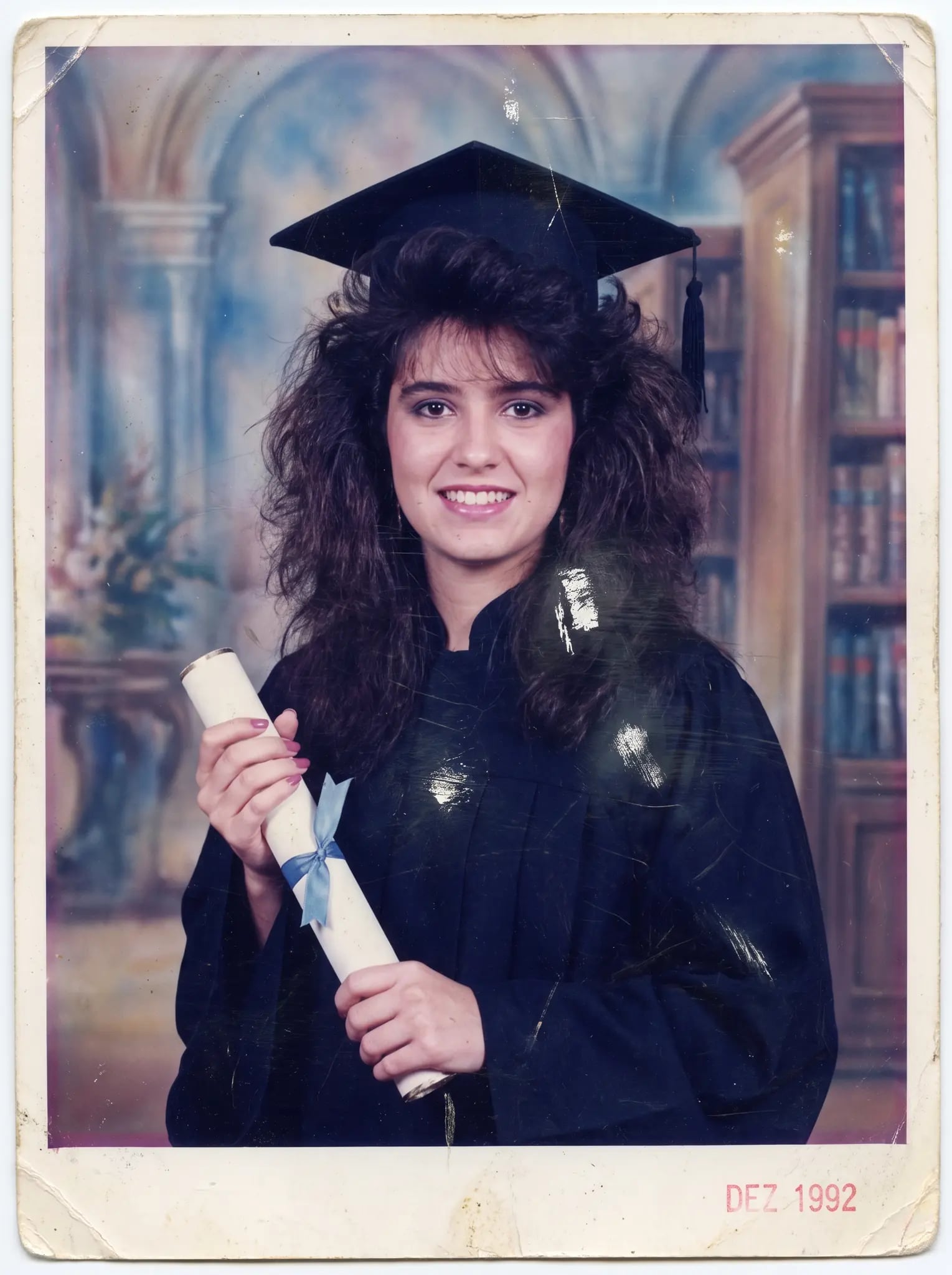
Graduation photo with balanced colors after restoration
BeforeAfterUse the left and right arrows to move. Shift goes faster, Home/End jump to the ends.
Yellowing · 1970s

Yellowing over time

Old photos can yellow over time. The AI neutralizes the yellow cast and brings back more balanced colors.

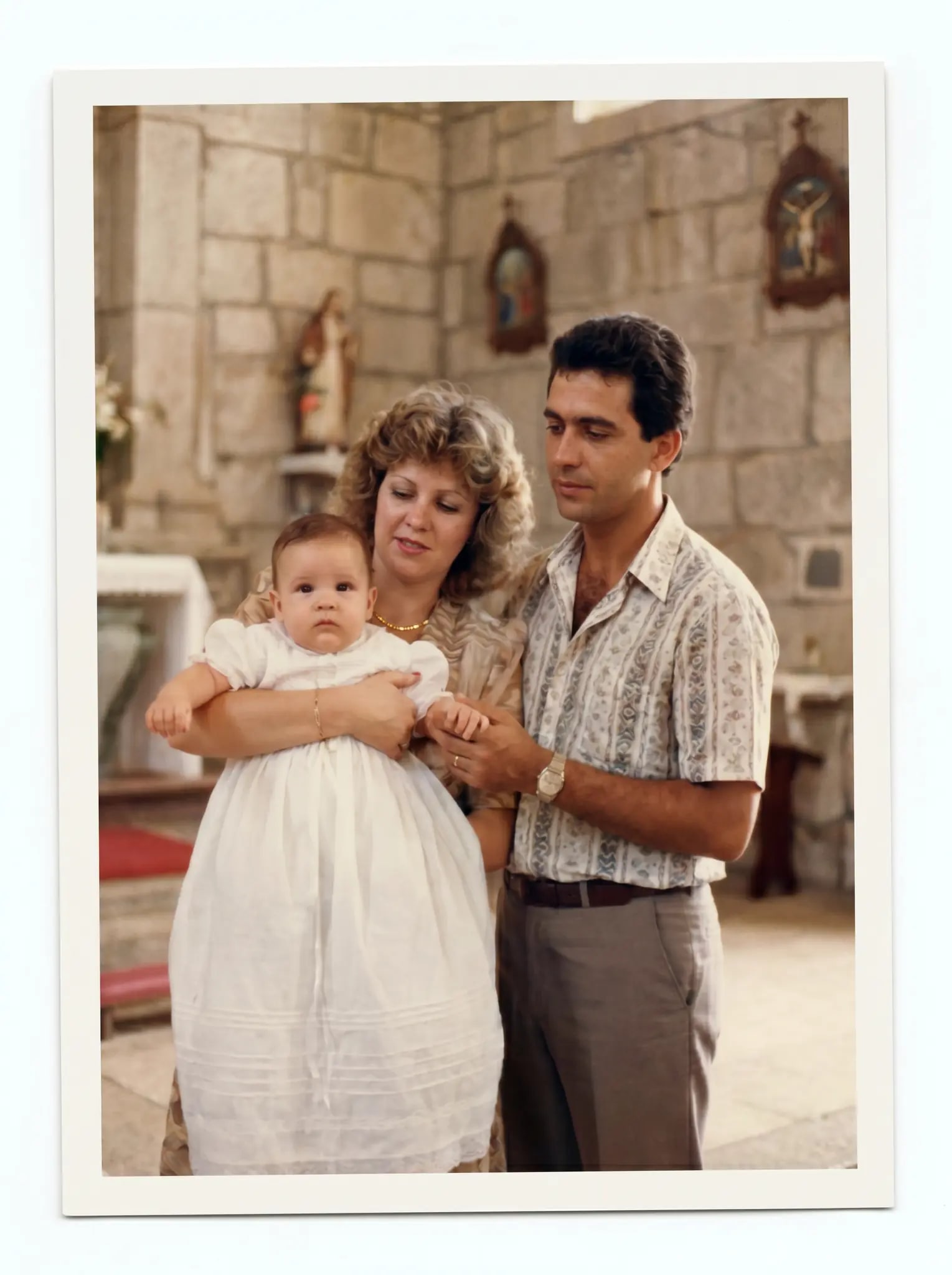
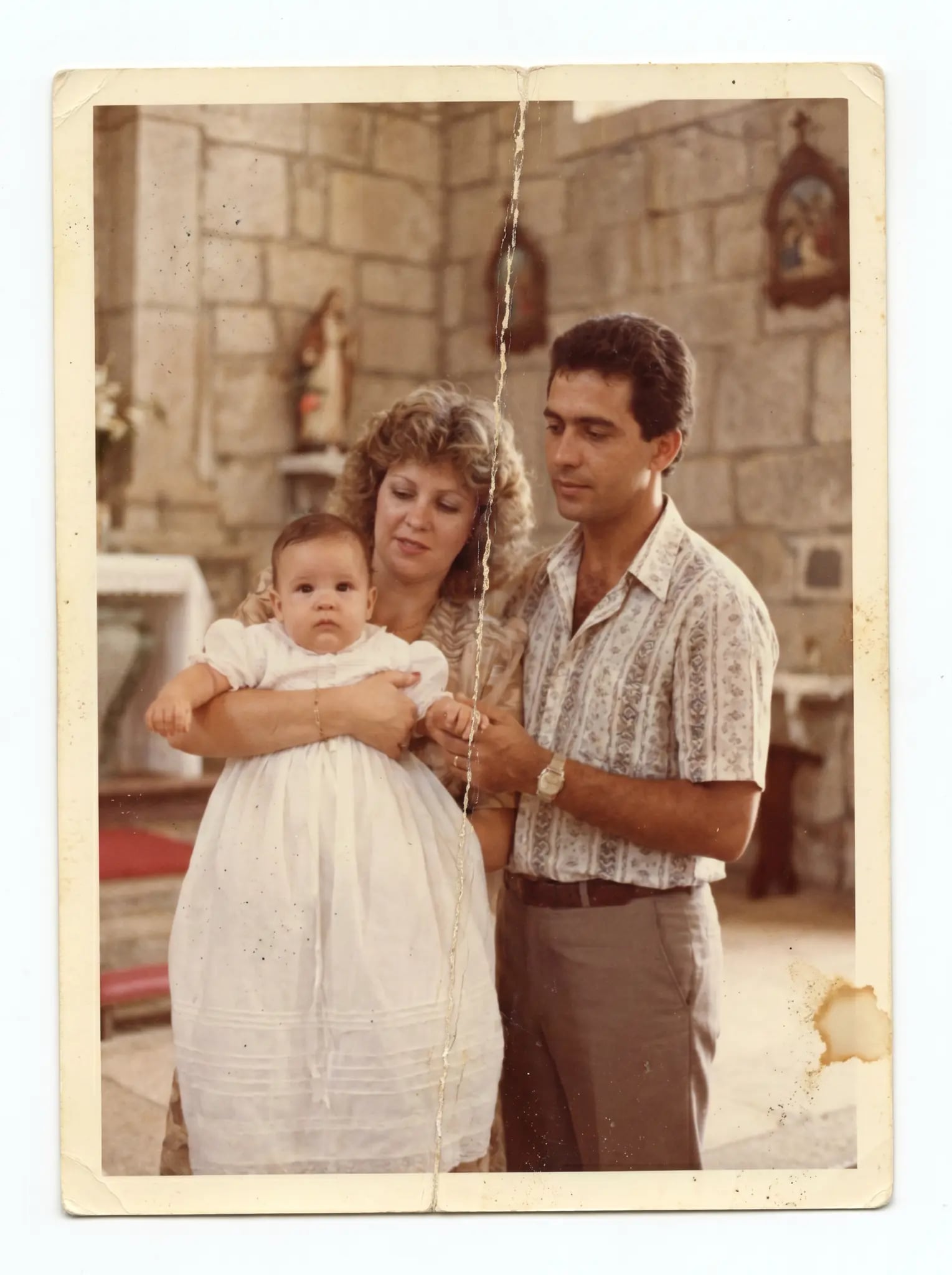
Baptism photo with colors restored
BeforeAfterUse the left and right arrows to move. Shift goes faster, Home/End jump to the ends.
Washed-out colors · 1980s

Washed-out, faded colors

Negatives, slides, and color prints can lose color over time. The AI interprets natural color from what is left.

How it works.

— Right in your browser.

No apps to download. It all happens in the cloud, right in your browser.
  1. Upload the faded photo

    Upload the faded photo

    Scanned or snapped with your phone. Accepts JPG, PNG, WEBP, and HEIC.
  2. The AI restores the color

    The AI restores the color

    It works from the remaining color and the lighting to create a version with natural color that fits the era.

  3. Download with the color back

    Download with the color back

    Compare the preview. After purchase, download without a watermark in 2K or 4K to print, frame, or share.

Restore my photo's color
No cardFollow it on screenOne preview on us

No rehearsed testimonial — the proof is your own photo

You send it, the AI restores it, and you SEE the result before paying anything. If a generation fails, the coin goes back to your balance; refund requests follow the Terms (within 30 days of purchase, reviewed case by case).

Refunds under the Terms
Purchased coins do not expire
Preview before you buy
Processed byStripe
frequently asked questions

Questions aboutcolor restoration?

What's the difference between restoring color and colorizing B&W photos?

They're different processes. Color restoration brings back pigments that were in the photo but got lost to fading or yellowing. B&W colorization creates colors that were never in the image — an interpretation by the AI. RestauraAI offers both.

Does it work with very faded photos?

Often, yes. The AI uses whatever traces of color remain as a reference. The more color is left, the more the result relies on it and the less on interpretation. Check the preview.

Does it work with photos yellowed over time?

Yes. If the photo has yellowed, the AI neutralizes the yellow tone and balances the color; check the result in the preview. According to the National Archives (NARA), negatives, slides, and color prints can fade and deteriorate within decades when stored at room temperature.

Can I restore color and repair damage at the same time?

Yes. If the photo also has tears, stains, or mildew, physical-damage restoration runs alongside the color correction. Both processes on the same platform.

Do Polaroid and Instamatic photos work too?

Yes. Instant photos and compact-camera shots can be uploaded too. If there is a color cast, the AI tries to correct it; check the result in the preview.

Does the restoration change details in the photo?

It can. The AI creates a new version of the image and, beyond the colors, may change small details in faces, textures, and background. Compare the preview with the original before you buy.

No AI training

Per our Privacy Policy

Gallery with sign-in

Delete from your dashboard

First preview

On us, with a watermark

Preview before purchase

Refunds under the Terms

That faded photo you've kept so carefullycan have its color back.

Upload your photo and see the first preview before you decide. On us.

No cardFollow it on screenOne preview on us