Skip to content

Try it free with your document

Restore your old documents with AI.

Grandpa's letter, the stained certificate, the yellowed diploma. Snap it with your phone and see, in seconds, clean paper and legible writing again.

Create your account and try it free. You only pay if you like it.

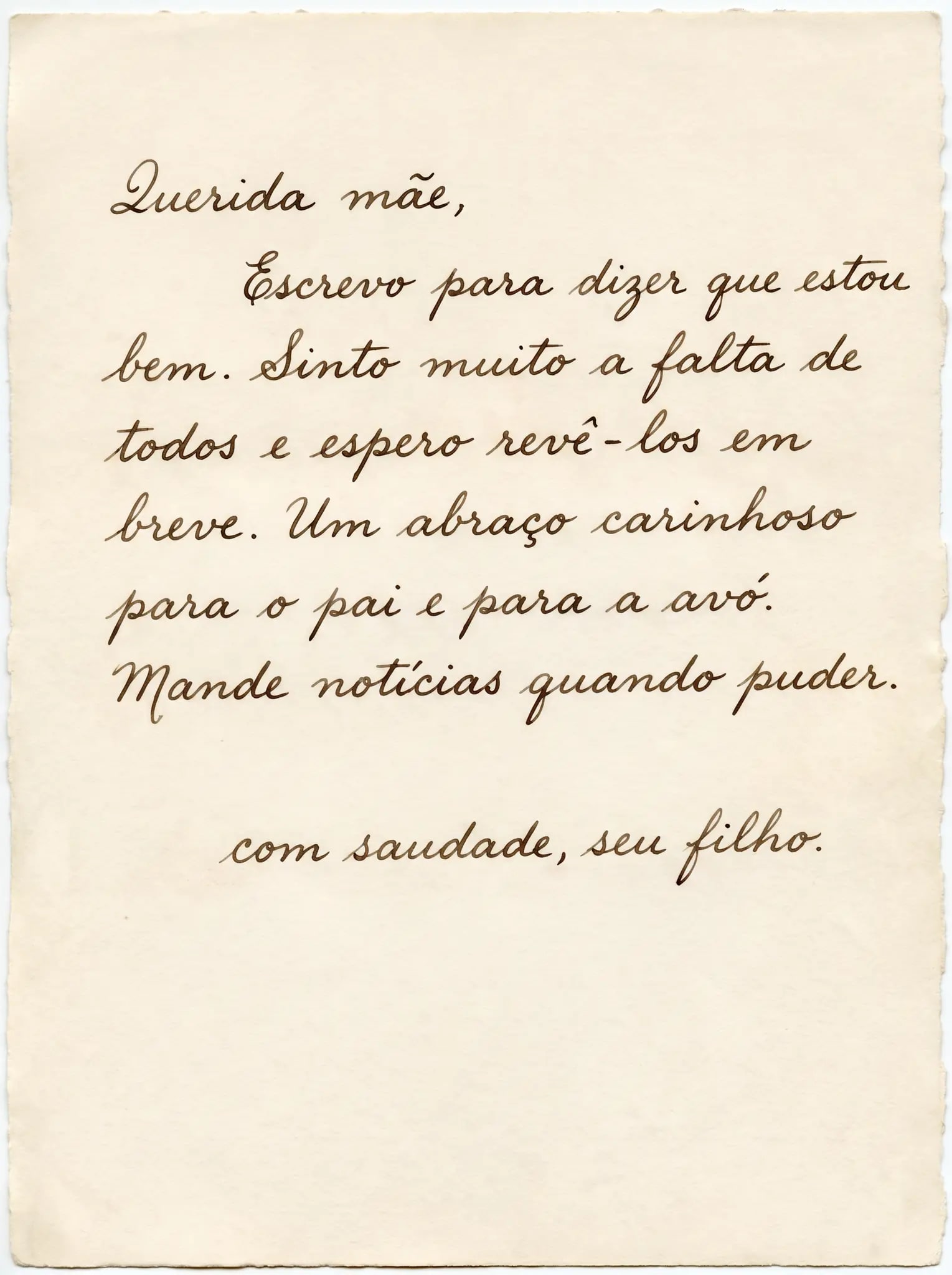
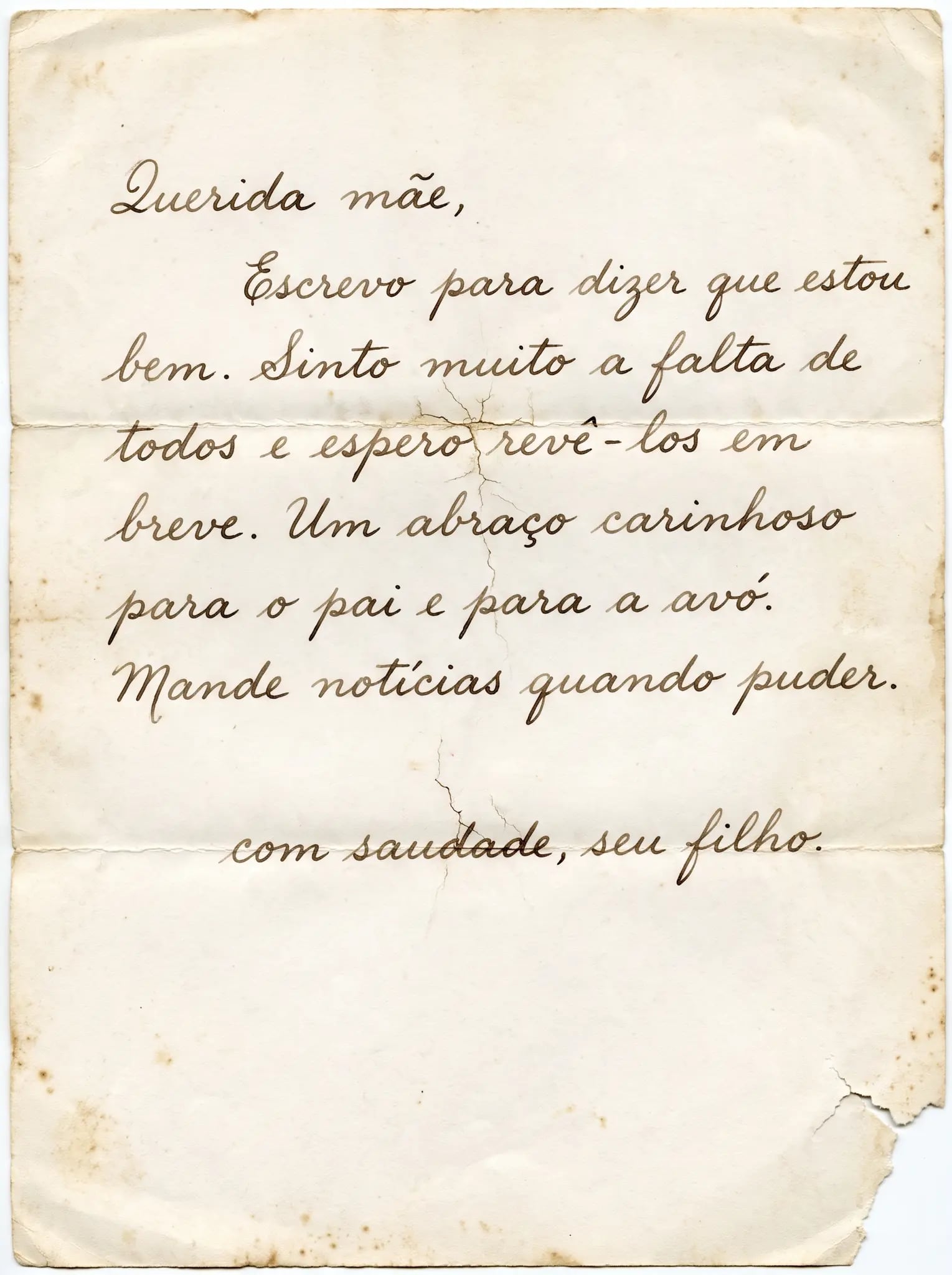
Restored handwritten letter, without creases or stains, with legible text. The AI also rebuilt the torn corner of the paper, drew an irregular edge around it and made the paper tone uniform.
BeforeAfterUse the left and right arrows to move. Shift goes faster, Home/End jump to the ends.
Example restored by RestauraAI in 2K.
  • Free trial, no card
  • Ready in seconds
  • Download in high quality, ready to print

Measured in the tool

How long it takes and what you can send

In the 30 days to October 9, 2026, 190 documents were restored on RestauraAI. Half were ready within 21 seconds; nine in ten within 26 seconds.

Time runs from when the file arrives to the end of processing, excluding test and team accounts; the upload depends on your connection. You follow the progress on screen.

Any document works as an image: birth or marriage certificate, old ID card, deed, contract, handwritten letter, diploma, book page or newspaper clipping. Upload a photo or scan in JPG, PNG, WEBP or HEIC, up to 25 MB, one page at a time. PDF is not accepted: photograph the page or export it as an image.

Source: RestauraAI internal measurement on , completed generations in the previous 30 days.

Types of documents we restore

Old Certificates

Birth, marriage, death

Historical Documents

Letters, contracts, deeds

Diplomas and Certificates

Graduation, courses, awards

Family Records

Family trees, wills

Check names, dates and signatures against the original document: the AI can change letters and numbers. The restoration is an image to keep and research; it does not replace the original document.

Why use RestauraAI

More contrast for reading

Improve the appearance of text and compare the words with the original.

Details you can check

Zoom in on the result and check seals, stamps and signatures.

All in your browser

Upload the file and follow the restoration on the same page.

A copy to keep

Download in high quality, ready to print, and keep your copy.

Your document, in 3 steps.

— upload, check and decide.
  1. Scan the document.

    Scan the document.

    Scanner or a phone photo, straight-on and well lit.

    Good light, no shadow — a phone photo does the job.

  2. Send it to RestauraAI.

    Send it to RestauraAI.

    Create your account and upload the image. You can add a request, such as reducing stains or lightening the paper.

    Quick sign-in with Google or email.

  3. See it ready and download.

    See it ready and download.

    Compare with the original. Like it? Choose a pack and download in high quality, ready to print.

    Keep the original too. AI restoration can alter details.

Questions about document restoration

The questions people bring with a certificate, an ID card, a deed or a letter in hand.

How long does it take to restore a document?

In the 30 days to October 9, 2026, half of the 190 restored documents were ready within 21 seconds, and nine in ten within 26 seconds. The preview appears on the same screen when it finishes.

The certificate is faded, with light ink. Can it be recovered?

Upload it and compare. The AI increases the contrast between ink and paper and reduces damp stains and yellowing. Where no ink remains, what appears is the AI's interpretation: check every name, date and number against the original before downloading.

Does it work with handwritten documents?

You can upload letters and other handwritten documents. Readability depends on the original file. Compare each important passage before buying.

Does it work with old ID cards and licenses?

It works as an image: the paper comes out clean and the photo and writing become more legible, to keep or print. The result is not valid as an ID document or a replacement copy; for that, contact the issuing office. The AI can swap digits in a registration number: check them one by one.

A deed, contract or will with several pages: how do I send it?

One page at a time, each as an image. Photograph or scan each page straight-on and well lit and upload them one by one; each page is a separate restoration with its own preview.

Are documents with seals and stamps preserved?

Restoration is instructed to preserve these elements, but that does not guarantee an identical result. Zoom in and compare each detail with the original document.

Can I restore old certificates for genealogy research?

You can try a family certificate and compare the preview with the original. Verify names, dates and places in the source document: AI can alter letters and numbers.

Is the result an exact copy of the original?

An exact copy is not guaranteed. The result is an AI-generated visual restoration and may contain changes; it does not replace the original document or serve as a replacement copy. Keep the original and use the comparison to assess the preview.

How much does it cost to restore a document?

Restoration uses your account balance. Your welcome balance lets you try a photo or a document and see a watermarked preview. Downloading without watermarks requires a purchase. Packages and plans are listed on the pricing page.

Does it work with documents in other languages?

You can upload a document in another language. Check words, numbers and symbols against the original; we do not have a validated accuracy rate for each language or alphabet.

Restore your document now

The trial is free: see your document restored in seconds and pay only if you like it.