Skip to content

First preview's on us

Colorize black and white photos with colors that fit the era

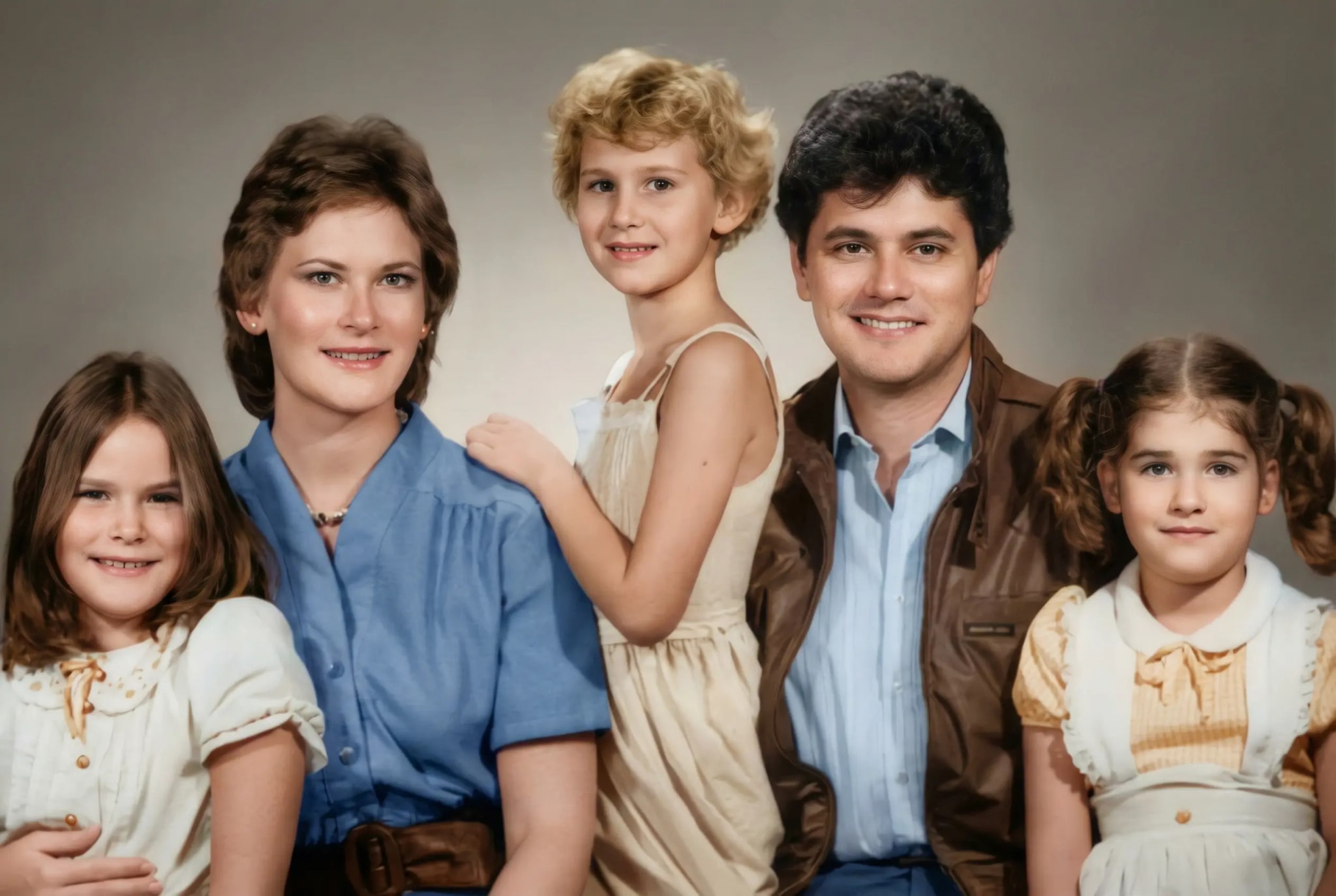
The AI applies natural color that fits the era to the photo. The colors are an interpretation: compare them with what your family remembers. Natural colors that fit the era.

Preview before you buy

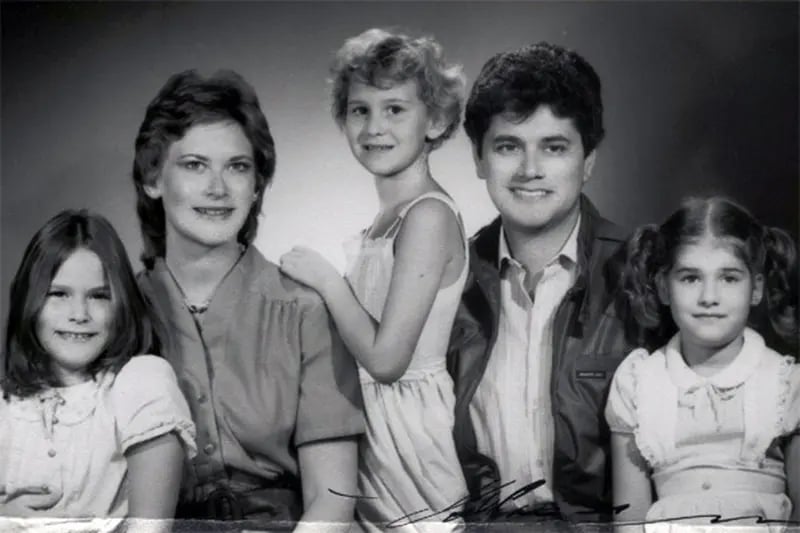
Site example: the same photo colorized by the AI
B&WColorizedUse the left and right arrows to move. Shift goes faster, Home/End jump to the ends.
Family portrait · 1940s
  • Colors that fit the era and the context
  • Skin, clothing, and setting colored in the same image
  • Up to 4K to print, frame, or give as a gift
No credit card
Preview before you buy
Gallery with sign-in
How it works

The AI and the colors

smart colorization

Color in every partof the scene.

Faces, clothing, landscape, and objects get natural colors that fit the era and the photo's lighting.

Skin tones

Natural tones that follow the light and shadows of the photo.

Vegetation and landscape

Natural greens, browns, and earth tones that fit the photo's landscape.

Clothing and fabrics

Colors that fit the fashion of the time — an interpretation by the AI.

Sky and lighting

Blues, golds, and light tones that follow the photo's shadows.

many eras

From the early 20th centuryto the present day.

1900–1920

Black and white or sepia

Compare the preview with the original

1930–1950

Black and white or sepia

Compare the preview with the original

1960–1970

Black and white or sepia

Compare the preview with the original

1980+

Black and white or sepia

Compare the preview with the original

Colorization in 3 steps.

— Right in your browser.
  1. Add your B&W photo

    Add your B&W photo

    Takes JPG, PNG, WEBP, HEIC, up to 25 MB.
  2. The AI applies the colors

    The AI applies the colors

    It gives skin, clothing, sky, and landscape a natural color that fits the era. The colors are an interpretation.

  3. Download it in color

    Download it in color

    Compare the preview. After purchase, download without a watermark in 2K or 4K to print, frame, or share.

Colorize my photo
No cardFollow it on screenOne preview on us

No rehearsed testimonial — the proof is your own photo

You send it, the AI restores it, and you SEE the result before paying anything. If a generation fails, the coin goes back to your balance; refund requests follow the Terms (within 30 days of purchase, reviewed case by case).

Refunds under the Terms
Purchased coins do not expire
Preview before you buy
Processed byStripe
frequently asked questions

Questions aboutcolorization?

How does the AI choose the colors?

The AI applies plausible colors to skin, vegetation, clothing, and everyday objects, following the photo's shadows and lighting. It cannot know the real color of each thing: it's an interpretation, not the color recorded on the day.

Does the result look natural or artificial?

The aim is natural color that fits the era and the light of the photo. Check it in the preview before you buy.

Does it work with photos from before 1920?

Yes. There's no year limit: sepia, black-and-white, or faded photos go through the same process and come out in color. What matters most is the condition of the print — the sharper the face in the original, the less the AI has to interpret.

Can I colorize and restore the same photo?

Yes. Restoration already includes colorization: tears and stains are treated and the photo comes out in color in the same generation.

Does it work with scanned photos?

Yes. It works with scans and with phone photos of a paper print. The sharper the image, the better the result.

Does the resolution change after colorizing?

It can change. The result comes out in 2K (1 coin) or 4K (2 coins).

No AI training

Per our Privacy Policy

Gallery with sign-in

Delete from your dashboard

First preview

On us, with a watermark

Preview before purchase

Refunds under the Terms

That black-and-white photodeserves to be in color.

Send your photo and see the first preview before you decide. On us.

Colorize my photo
No cardFollow it on screenOne preview on us