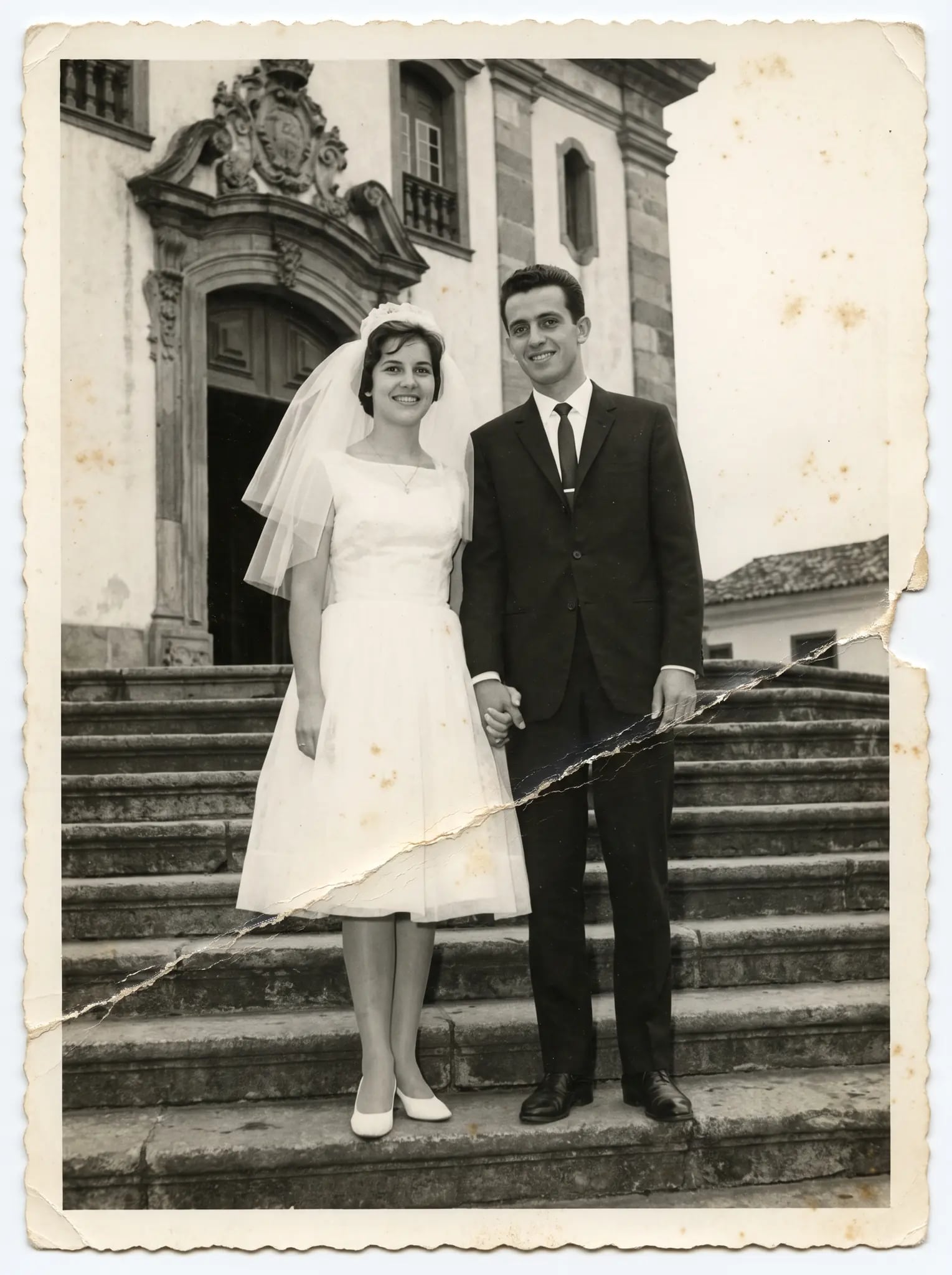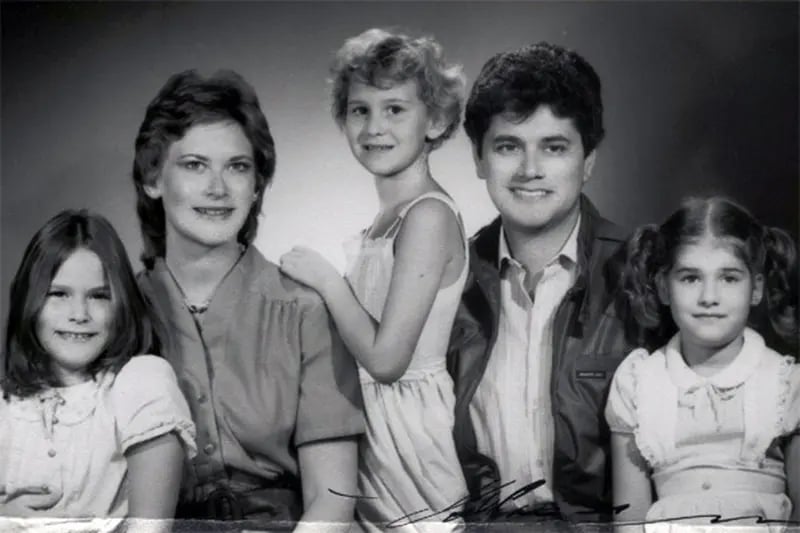
Featured
Colorize Old Photos
That yellowed photo of Grandpa gets natural color that fits the era it was taken in.
Colorization with Artificial Intelligence
It's not a filter. The AI applies natural color that fits the era — an interpretation you compare with the original.
Create your account and see your photo in color in seconds. You only pay if you like it.
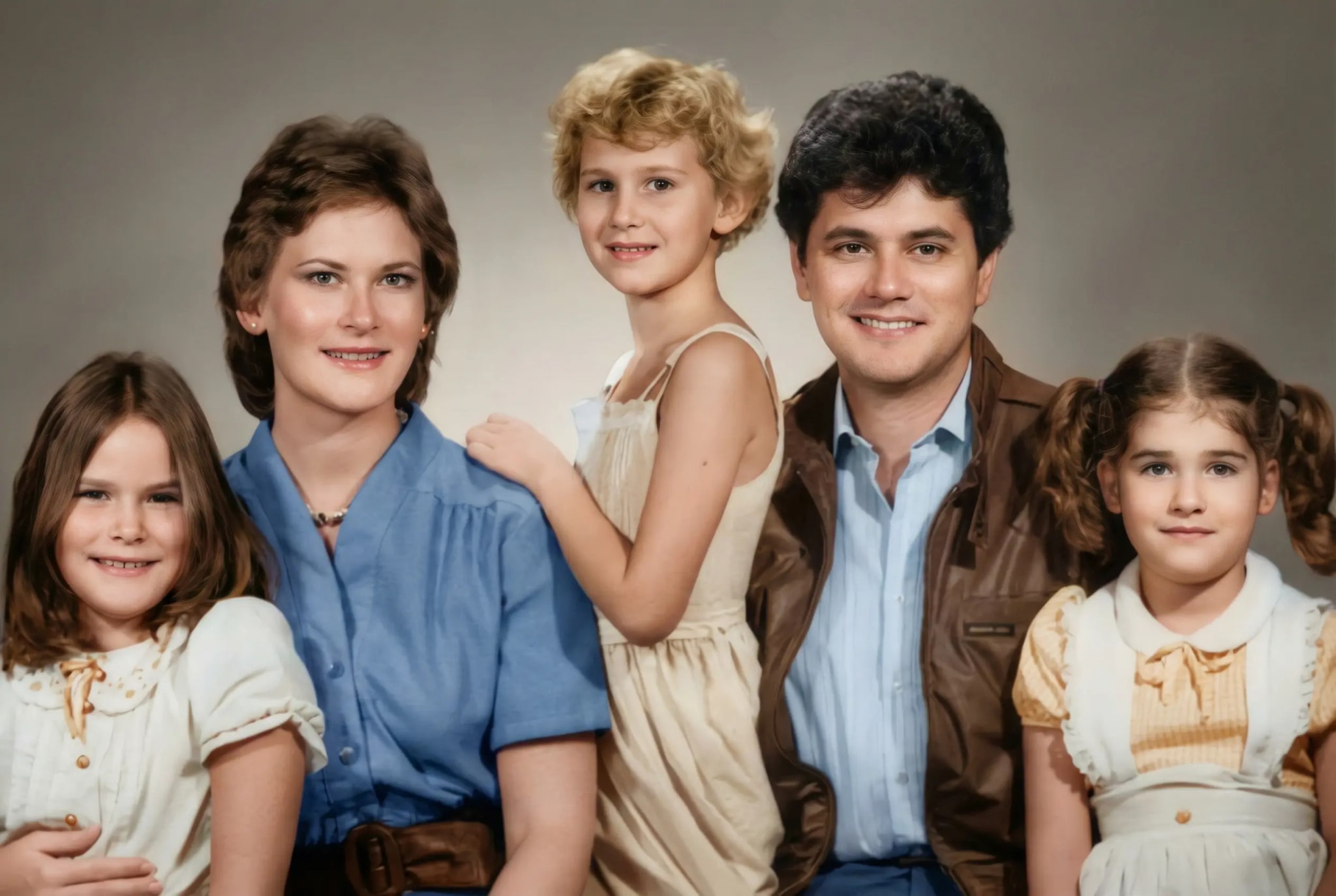
Types of colorization
Choose by photo type or by era.
That yellowed photo of Grandpa gets natural color that fits the era it was taken in.
A B&W photo gets natural color on faces, clothing, and setting.
Your parents' or grandparents' wedding photo comes back in natural colors that fit the era. A gift for an anniversary.
The '20s, '40s, '50s, '70s... see what to expect from color in photos of each era.
Example
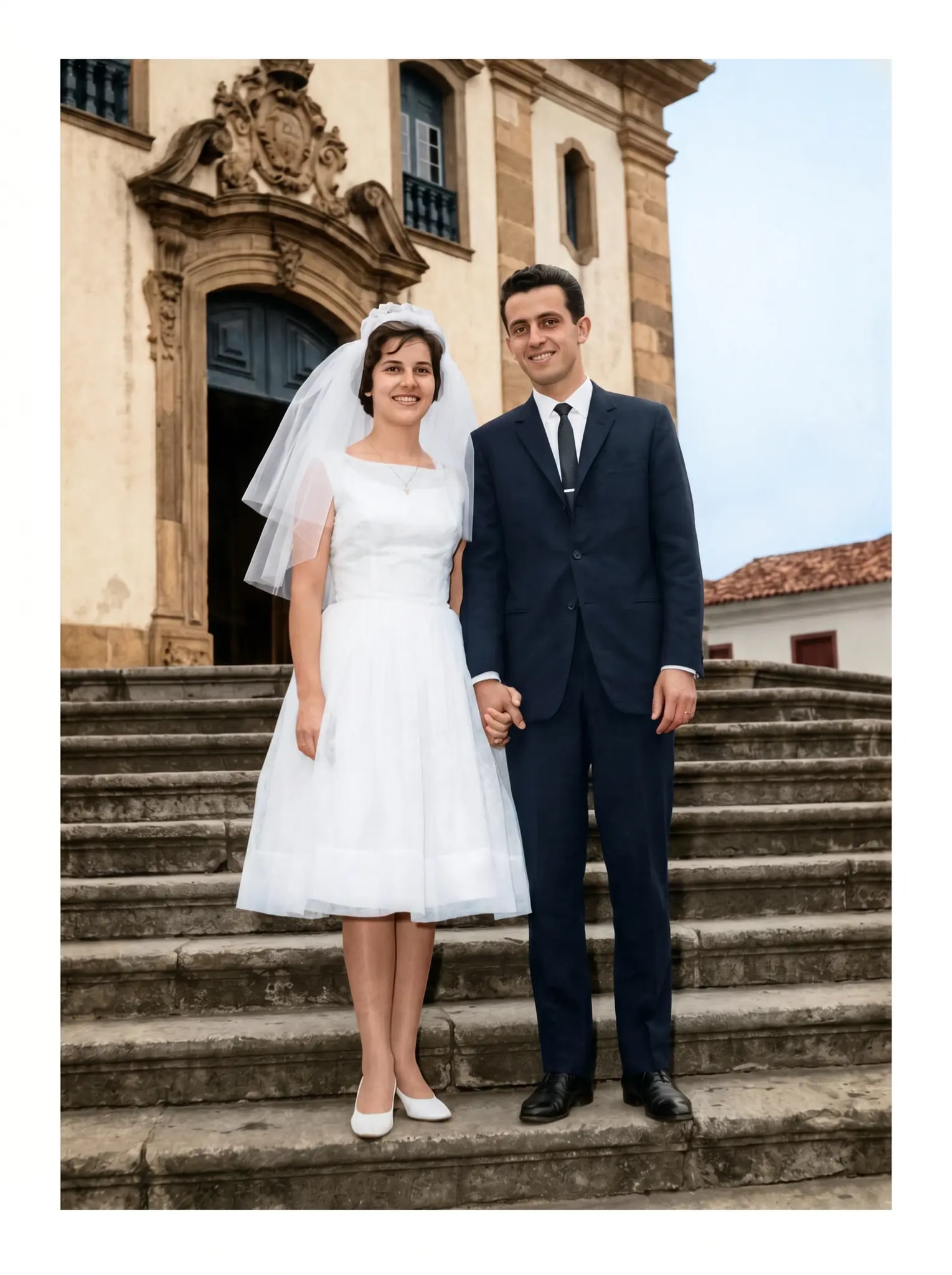
What sets us apart
In a photo with no color, the AI picks natural tones that fit the era for skin, clothing, and setting. It is an interpretation, which you check in the preview.
Skin tone, eyes, and hair follow what shows in the face in the photo. The AI generates a new version of the image and may change small details; compare the preview with the original.
You send the photo and follow the processing. When it's ready, you compare it with the original.
The download comes out in up to 4K, to view up close or print.
If the photo has a stain or a tear, the AI treats the damage and adds color in the same restoration. You get the photo whole and in color.
They stay in your private gallery, behind a password. Under the Privacy Policy, RestauraAI does not use your images to train AI models. You delete them whenever you want.
You send it, the AI restores it, and you SEE the result before paying anything. If a generation fails, the coin goes back to your balance; refund requests follow the Terms (within 30 days of purchase, reviewed case by case).

— still not sure?
No one can know the exact color of a black-and-white photo, and neither can the AI. What it does is choose natural colors that fit the era and the light of the photo: skin, clothing, sky, and landscape come out as if the scene had been shot in color.
The aim is natural, with color that fits the era and the light of the photo. Since it's an interpretation, check the preview against the original before you buy.
You can upload it. The sharper the photo, the better the result, and color is always an interpretation: compare the preview with the original.
Send it as is. The AI treats the damage and adds color in the same restoration — stains, scratches, tears. You get the photo restored and in color all at once.
The free preview has a watermark. After a purchase, the download comes clean, in high resolution, ready to print or share.
They stay in your private gallery, behind a password, and you can delete them from your dashboard. Under the Privacy Policy, RestauraAI does not use your images to train AI models.
You can upload a portrait, a wedding, or a graduation photo, for example. The result varies with the image; check the preview before buying.
Each colorization in 2K uses 1 coin (in 4K, 2). Want to try a different look? Just run it again, with another coin. If a generation fails, the coin goes back to your balance; refunds follow the Terms (within 30 days of purchase, case by case).
The first preview is on us. No card. You compare it with the original before you pay.
1 free preview No card In your browser
Restoration takes care of color, scratches and stains in the same photo.
Photo restoration